Email campaigns built from your contact records

Design an email from drag-and-drop blocks or a saved template, then see the opens, clicks, and replies of each contact. Channels alerts you when your bounce rate or spam-complaint rate nears a level that you set.

Branded email that anyone on your team can build

In Channels Email, each colleague can lay out a message in the visual editor or start from a template in the shared library. Channels also tracks your sender reputation and your bounce rate for every send. Every email that your team sends links to the contact's record in People, so Channels files each reply in the thread on that contact's profile.

Build a branded email and track every open, click, and reply

In Channels Email, you build the message in a visual editor and personalize it from People, while Channels tracks your sender reputation and reports who opens, clicks, and replies.

What you can do in Channels Email

If someone has to write each campaign in HTML, the colleague who knows HTML will have to build every email that your team sends. Your team can fall back on plain text, but a plain-text email has no layout, images, or buttons.

Build the email from drag-and-drop blocks for text, images, buttons, dividers, and multi-column layouts, then preview it on a desktop, a tablet, and a phone before you send it. Your colleagues can work from the blocks alone, while a developer who wants exact control can edit the HTML source.

When each colleague rebuilds a familiar email from scratch, your team will repeat the same formatting work for every send, while the layout and branding can vary from one colleague's email to the next. A new colleague will also have to guess what a finished email from your organization looks like.

Save your emails as templates and sort them by use case, team, or campaign type. Your colleagues can pick a template and personalize it with fields from each recipient's profile in People contacts. Several colleagues can edit a template together in real time, while Channels records every change in the template's version history.

A mailbox provider can begin to file your email as spam while your bounce rate climbs, so the first sign may be fewer replies to a campaign than to the last one. By then, you may need several weeks of careful sending to rebuild your sender reputation.

Channels tracks your sender reputation score, your bounce rate, spam complaints, and the status of your domain authentication on one dashboard. When a figure nears the threshold that you set, Channels sends you an alert with a recommended fix, such as a DNS record to update or a list of contacts to clean.

Without a record of who opens each email, your team can follow up with contacts who never read it and overlook the ones who click a link.

Channels records who opens each email, which links they click, and how many times they come back to it. It adds that activity to each contact's profile in People, so your team can see what each contact reads over months of campaigns. You can tag contacts by how they engage, then start a follow-up for everyone with that tag.

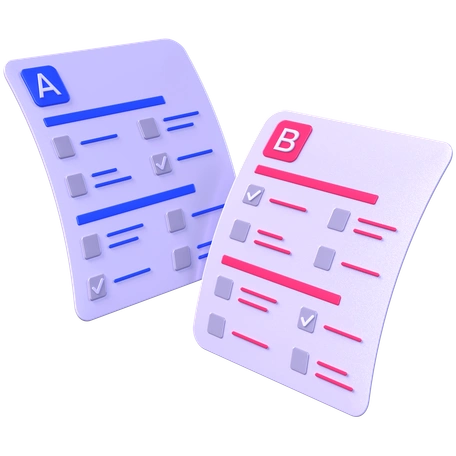
A/B testing illustration

When you have two subject lines and no test, you will have to guess which one to send to the whole list.

Test subject lines, sender names, send times, or whole versions of the content. After you set the size of the test sample and the criterion for the winner, Channels sends the winning version to the rest of the audience at the end of the test period. Channels stores the results of each test, so your team can compare earlier results before they plan another test.

A lead can need several emails over a few weeks before they talk to your sales team. If your team tracks by hand which lead receives which email and when, a colleague can skip a lead or send an email out of order as the list grows.

Build a sequence of emails that starts when a contact submits a form, when a contact's tag in Delalify People changes, or after a delay that you set. You can add a branch on engagement, so the contacts who open your emails follow one path while the others receive a re-engagement email. Channels then sends each step on schedule.

How Channels Email helps the people who write your campaigns

Fix deliverability problems early

Channels enforces proven sending practices on each campaign and alerts you when your sender reputation or your bounce rate moves toward your threshold, so your team can correct the cause before the next campaign.

Start each email from a finished design

Because each saved template includes your layout and branding, your team can start each email from one and spend its time on the wording.

Learn which emails your contacts answer

Channels reports the opens, clicks, and replies for every campaign, so you can compare which messages your contacts respond to. With an A/B test, you can also choose a subject line from the results on a sample of the audience.

Follow up on schedule with automated sequences

Once you build a sequence, Channels sends each email in it when a contact reaches that step, so your team can leave the timing of every follow-up to Channels.

Email programs that teams build in Channels

A trial signup starts a five-email welcome sequence

The growth team builds a welcome sequence of five emails that starts when someone signs up for a trial. Channels fills each email with the features that suit the user's role and company size, which it takes from their People profile. Enterprise users receive emails about team collaboration and security, while small business users receive quick-start guides. Channels sends the winning subject line from an A/B test to the remaining recipients. When a user opens several of the emails, Channels tags them 'Engaged' so that sales can follow up.

Result

Each trial user receives the emails that match their role and company size from the day that they sign up. The sales team then calls the users with the Engaged tag before their trial ends.

A trial signup starts a five-email welcome sequence

A nonprofit tailors its year-end appeal to each donor tier

The development team sends a year-end appeal to segments by donor tier and giving history. Channels fills in each donor's lifetime giving, their last gift date, and an impact story for their giving level from People. Major donors receive a personal note from leadership with a suggested gift amount based on their earlier giving, while first-time donors receive stories of the work that the nonprofit does with their gift. Through the busy giving season, the team checks the deliverability dashboard before each send, so that it can fix a rise in bounces before the next batch.

Result

Each donor reads their own lifetime giving and a story from their giving level in the appeal. Channels fills in the details for every major donor from a note that leadership writes once for the whole tier.

A nonprofit tailors its year-end appeal to each donor tier

A whitepaper download starts a nurture sequence

Marketing builds an automated email sequence for leads who download a whitepaper. The sequence includes case studies, product comparisons, and ROI calculators for the industry tag on the lead's profile in People. When a lead opens three or more emails or clicks a pricing link, Automation applies a 'Sales Ready' tag and notifies the assigned account executive, who can read the lead's engagement history before reaching out.

Result

The account executive calls each lead once Automation applies the Sales Ready tag, so the rep can start the first call from the case studies and comparisons that the lead opens. Leads who open less of the sequence keep receiving it until they qualify.

A professional services firm sends a monthly newsletter to each industry

The marketing team sends a monthly newsletter to each industry through dynamic groups in People, so healthcare clients receive regulatory updates while manufacturing clients receive supply chain analysis. Partners review engagement reports that list which contacts open the articles about their practice areas. When a contact's engagement passes a set level, Automation assigns the partner a task to send a personal follow-up. Marketing uses the click data to choose the topics for later issues.

Result

Each partner follows up with the contacts who read the articles about their practice area, while marketing plans each issue from the topics that clients click.

A professional services firm sends a monthly newsletter to each industry

A win-back sequence starts when a student stops logging in

The retention team creates an automated sequence for students who go 14 days without logging in. The team builds a dynamic group in People on the last login date and on unfinished courses. Each email lists the courses that match the student's learning history, with their progress and an estimated completion time for each one. Students who return receive a welcome-back email with a discount on their next course, while the others receive a final offer, after which Automation tags them 'Churned'.

Result

Each student receives reminders about the courses that they leave unfinished, along with their progress on each one. The retention team then works from two lists, which are the students who return and the students whom Automation tags as Churned.

A win-back sequence starts when a student stops logging in

Send branded email from your contact records

Your team can build each email from blocks or from a saved template, while Channels reports the opens, clicks, and replies for every contact who receives it.