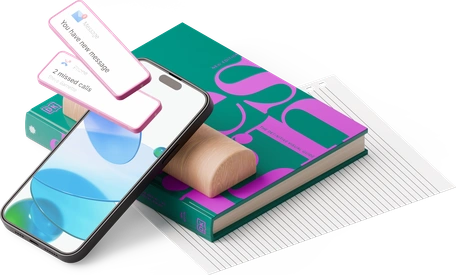

Texts with a delivery status and a reply thread

Channels sends your texts to one contact or to a whole group through local carriers and reports whether the carrier delivers each message. Channels adds each reply to the conversation thread on the contact's profile in People.

Text messages that your team can follow to the reply

Channels routes each text through a local carrier in the recipient's country and records the delivery report from that carrier. When a contact replies, you can read the reply in the conversation thread on their profile in People. Your team can check the delivery status of each text and read every reply beside the message that it answers.

Text a contact or a group and follow each message to its reply

Channels sends each text through a local carrier and tracks its delivery, so your team can see which messages the carriers deliver and read every reply on the contact's profile in People.

What Channels does with each text that your team sends

If you text contacts in several countries through a separate provider in each one, your team will have to manage a dashboard, a price list, and a delivery report for every provider. Anyone who wants to compare delivery across those countries will then have to combine the reports by hand.

You can text numbers in every destination that Channels supports from one account. For each destination, Channels picks the carrier route by deliverability, latency, and cost and reports the delivery of every message in the same analytics.

If a text fails and your team has no delivery report for it, you may learn about the failure only when a contact misses an appointment or a deadline.

Channels marks every message as sent, delivered, failed, or undelivered and updates that status as the carrier confirms receipt. Channels lists each failed message so that you can retry it or look into the cause. It also adds each delivery report to the contact's timeline in People, where a colleague can check what happens to any text that your team sends.

Two-way messaging illustration

If your texting tool stores replies apart from your other messages, your team will have to check that tool separately and match each reply to the message that it answers.

When a recipient replies to a text, Channels adds the reply to the conversation thread beside the original message. Because the thread links to the contact's profile in People, whoever reads the reply can see the contact's notes and history on the same screen.

Bulk SMS campaigns illustration

If your team texts hundreds of contacts one at a time, someone will have to type each name and appointment time by hand, while one identical text to the whole list will leave those details out.

Send a text to a group or a segment in Delalify People. Channels fills in personalization variables, such as a first name, a company, an appointment time, or any custom field, from each recipient's profile. Channels then sends a large batch in the background, as fast as the carriers on each route accept messages, while your team continues with other work.

A campaign to thousands of contacts can need more messages per second than a long code allows, because carriers can throttle a long code that sends at high volume. In a conversation, however, a customer will want to reply to a number that they recognize and can save as a contact.

Use an alphanumeric sender ID or a shared short code for a high-volume campaign that has to send thousands of messages, and a dedicated long code for a conversation in which recipients reply to you. Channels manages each type of number for you and sends every message through the route for its type.

Rules such as the TCPA and the GDPR, along with carrier policies, require you to honor opt-outs, to observe quiet hours, and to keep a record of consent. If your team tracks those by hand, one missed opt-out can expose you to a fine, while repeated violations can lead a carrier to block your numbers.

When a recipient replies STOP, Channels applies an opt-out tag to their profile in People as one of its system tags and leaves that number out of every later campaign. Channels also schedules each message outside the quiet hours that apply in the recipient's destination.

Why your team texts contacts from Channels

Send a text when you want a reply on the same day

A phone can show a new text as a notification, so a contact can read a short reminder from their lock screen. Channels then adds the contact's reply to their thread, where your team can confirm the booking or answer the question.

One account for every country that you text

Because Delalify works with carriers in each region, your team can text contacts abroad from the same account as contacts at home, while Channels picks the route for each destination.

Texts and email on one timeline

Channels adds each text conversation to the contact's timeline in People beside their email, so a colleague can read both before they write to that contact again.

Contacts can text you back

A recipient can reply to any text that your team sends from Channels, so your team can carry on the conversation with each contact who writes back.

How teams use text messages in Channels

A clinic texts patients two days before each visit

The clinic uses Delalify Automation to send an SMS reminder 48 hours before each appointment. Each reminder includes the patient's name, the appointment time, the provider's name, and the office location from the patient's People contact profile. When a patient replies with 'C' to confirm or 'R' to reschedule, Channels adds the reply to their timeline beside their appointment history and earlier messages. The front desk can then see which patients confirm and which ones need a follow-up call.

Result

The front desk calls only the patients who leave the reminder unanswered, because Channels adds each reply to the patient's timeline beside the appointment. A patient who asks to reschedule by text receives the new time in the same thread.

A fintech app texts one-time passwords and transaction confirmations

When a customer starts a transaction or signs in from a new device, Channels sends a one-time password by SMS within seconds. After the app processes the transaction, Channels sends a confirmation with the amount, the merchant name, and the remaining balance. Channels adds each message to the customer's timeline in People, so a support agent can see what the customer receives and when. Each message on that timeline also shows the carrier's delivery receipt for the customer's device.

Result

When a customer reports a missing password, the support agent can check the delivery status on the customer's timeline before answering. The agent can then tell the customer whether the carrier delivers the text or whether Channels has to send it again.

A fintech app texts one-time passwords and transaction confirmations

A customer receives a text when the technician is 30 minutes away

Automation texts each customer 30 minutes before the technician reaches them. The text includes the technician's name, a link to their photo, the arrival window, and a tracking link to the technician's live location. When a customer replies with a gate code, parking instructions, or a warning about a pet, Channels attaches the reply to the service ticket on the customer's contact profile. The technician reads that thread before arriving, so they have the access details at the door.

Result

The technician arrives with the gate code and the parking instructions from the customer's reply, so the visit can start on time. When the customer calls about the visit, the dispatcher can read the same thread.

A restaurant confirms each reservation by text

Automation sends an SMS confirmation as soon as a guest books a table, with the party size, the date, the time, and a link to the menu. Two hours before seating, Automation sends a reminder with parking information and asks the guest to reply if their plans change. When a guest texts back to change the party size, ask for a high chair, or cancel, Channels adds the message to the guest's profile in People, beside their dining preferences and earlier visits.

Result

A guest who cancels by text frees the table early enough for the host to offer it to another party. Before a returning guest sits down, the host can open the guest's profile to read any change that the guest texts, along with their preferences from earlier visits.

A restaurant confirms each reservation by text

A dealership texts owners when their car is due for service

The service department uses Delalify Automation to text customers on the maintenance schedule that the department records for each vehicle on the customer's contact profile in People. When a customer's vehicle approaches 30,000 miles, Automation sends a text with the recommended services and the current promotions. When the customer replies with a preferred date and time, Automation adds the reply to the dealership's scheduling system. Automation then sends a text to confirm the appointment and a reminder on the day before.

Result

The service advisor books each customer from their reply, while the customer receives the confirmation and the reminder in the same thread as the first text. The advisor can read that thread when the customer arrives with a question about the work.

A dealership texts owners when their car is due for service

One STOP reply ends every team's texts to that number

Several teams send weekly texts: marketing sends flash sales, customer service sends order updates, and the loyalty program sends reward notices. When a customer replies STOP to any of those messages, Channels applies the unsubscribe system tag to their contact profile in People at once. From then on, Channels leaves that number out of marketing's weekly promotion, support's shipping alerts, and the loyalty team's reward messages.

Result

Every team sends its campaigns from the same contact records, so the unsubscribe tag on the customer's profile is the one suppression list that all of them use. After that single reply, the customer receives no further texts from any of the teams.

Text your contacts from their records in People

Channels reports the delivery of every text that your team sends and adds each reply to the contact's thread, where any colleague can pick up the conversation.