

Relationship Management Made Easy

Every relationship starts with a contact. Store rich profiles with custom fields, contact templates, and complete interaction history that your whole team can access.

Foundation of relationships

One profile per person, everywhere

Contacts are the building blocks of People. Each contact holds names, emails, phones, addresses, custom fields, notes, file attachments, and every message or meeting you have recorded. Update once and changes sync across Channels, OneCloud, and Teams. Time management and productivity improves with Delalify People.

Capabilities

Everything you need to manage contacts

Contact templates illustration

Different contacts need different information. Students require enrollment data, vendors need contract terms, and donors track giving history. Without structure, these details end up in notes and spreadsheets.

Delalify people gives you buildng blocks to create custom contact templates. Define schemas that specify which fields appear for different contact types. Student contacts show enrollment data while vendor contacts display contract terms. Your team always captures the right information.

Import from anywhere illustration

Your contacts live in multiple places: CSV exports, Google Contacts, Outlook, legacy CRMs. Moving them manually means hours of copy-paste work and inevitable typos.

Bring contacts from CSV files, Google Contacts, Outlook, or other CRMs. Mapping tools match source fields to your contact templates for clean imports. Your historical data stays intact.

File attachments illustration

Contracts, receipts, photos, and documents belong with the people they relate to. Digging through email threads or shared folders to find the right file wastes time you could spend on the relationship.

Attach contracts, receipts, photos, or any document directly to contact profiles. Files sync to OneCloud storage with version tracking and access controls. Everything about a person stays in one place.

Conversations happen across channels: calls, emails, meetings, quick hallway chats. When someone new takes over a relationship, piecing together what happened requires interrogating colleagues.

Record observations, meeting notes, and tasks tied to each contact. The timeline shows every message sent through Channels and every file shared from OneCloud. Full context travels with the contact.

The same person enters your system through multiple forms, imports, and manual entries. Duplicate records mean duplicate outreach, conflicting notes, and disjointed history.

Identify and merge duplicate contacts before they create confusion. Matching rules flag potential duplicates during import and ongoing data entry. One person, one record.

Export and compliance illustration

Audits require full data exports. GDPR and privacy regulations demand you fulfill deletion requests quickly. Ad-hoc exports to spreadsheets lose formatting and miss relationships.

Export contact data in standard formats for audits, migrations, or backups. Data subject requests process cleanly with built-in export and deletion workflows. Compliance becomes routine.

Why it matters

The foundation of every relationship

Single source of truth

Every team member works from the same contact record, which means conversations stay consistent, follow-ups land on time, and relationships strengthen through coordinated effort rather than uncoordinated outreach.

Reduce data entry time

Import tools, contact templates, and auto-population from forms eliminate manual typing. Your team spends time building relationships instead of copying data between spreadsheets and systems.

Preserve interaction history

Years of conversation history, meeting notes, and file attachments travel with each contact. New team members inherit full context from day one without interrupting colleagues or digging through email archives.

Compliance without friction

Export contact data for audits, process GDPR deletion requests, and maintain clear records of consent and communication preferences. Regulatory requirements become part of your workflow, not obstacles to it.

Use cases

See contacts in action

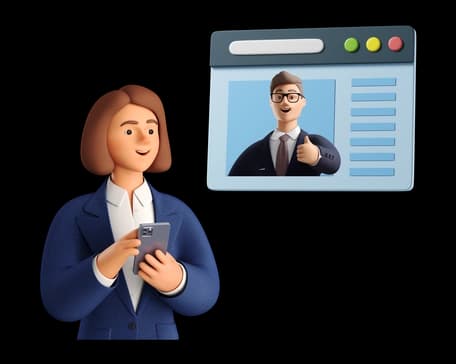
Sales team onboarding a new hire

The new account executive inherits a territory with 200 accounts across manufacturing, healthcare, and logistics. Instead of starting cold, they open each contact in People and see every past email exchanged over three years, notes from discovery calls, pricing negotiations documented in the timeline, and file attachments with signed contracts and technical specifications stored in OneCloud. The previous rep left six weeks ago, but the institutional knowledge remains intact. Each contact profile shows purchasing patterns, decision-maker relationships, renewal dates, and competitive intel gathered across dozens of interactions.

Result

Ramp time drops from 90 days to 45 days because institutional knowledge lives in contact profiles, not departing colleagues. The new rep closes their first deal in week three instead of month three, and territory revenue stays flat during the transition instead of dropping 30% like previous handoffs.
Sales team onboarding a new hire

University registrar managing student records

The registrar imports 5,000 incoming students from the admissions system using a CSV file that maps applicant data to contact templates. Each template includes program of study, advisor assignment, financial aid status, housing preferences, and emergency contact information. The import runs in seconds and flags 47 potential duplicates where students applied twice with slight name variations. The registrar reviews and merges duplicates in a few minutes instead of discovering them months later when enrollment paperwork conflicts.

Result

Orientation staff see complete profiles on day one, sending personalized welcome messages through Channels that reference each student by their preferred name, mention their declared major, and connect them with their assigned advisor. Students feel recognized as individuals from their first interaction instead of receiving generic mass communications.

University registrar managing student records

Healthcare clinic tracking patient referrals

Care coordinators attach referral letters from primary care physicians, imaging results from radiology centers, lab work from external facilities, and care plans from specialists to patient contacts. Files sync to OneCloud with HIPAA-compliant access controls. When Dr. Kwame opens a patient contact 10 minutes before the appointment, the timeline shows the referring physician note from two weeks ago, the MRI results uploaded last Thursday, the insurance pre-authorization attached yesterday, and notes from the intake nurse call this morning. Everything appears in chronological order without searching through fax queues, email attachments, or the paper chart.

Result

Specialists prepare for appointments in minutes instead of chasing records across fax machines and email threads. Appointment quality improves because doctors review complete context before patients arrive. Follow-up care proceeds faster because treatment plans attached to patient contacts travel with the patient across the care team.

Healthcare clinic tracking patient referrals

Property management company handling tenant communications

The property manager stores signed lease agreements, maintenance request history, payment receipts, move-in inspection photos, and communication logs on each tenant contact. Files sync to OneCloud for secure access by maintenance staff and property owners. When a tenant calls about a repair, the manager pulls up the contact and sees three previous maintenance requests for the same unit over 18 months, photos of the original condition, notes from the last repair visit two months ago, and the warranty expiration date for the appliance in question. The context loads in three seconds instead of the manager putting the caller on hold while searching through filing cabinets, email threads, and maintenance tickets in separate systems.

Result

Average call handling time drops from 8 minutes to 3 minutes because staff answer questions without putting callers on hold. Tenant satisfaction improves as managers address issues faster and reference previous conversations accurately. Maintenance vendors receive complete work history when dispatched, reducing repeat visits by 40%.

Property management company handling tenant communications

Consulting firm managing client engagements

Partners track project deliverables, stakeholder contacts, meeting notes, proposal documents, and status reports attached to each client profile in OneCloud. When Sarah transitions off the enterprise software implementation project, her replacement James inherits her contact list with complete context. Each stakeholder contact shows their role, decision authority, communication preferences, meeting history with timestamps, and notes about their priorities and concerns. James reads through three months of documented interactions in 90 minutes and shows up to his first client meeting prepared to continue conversations Sarah started.

Result

Client satisfaction scores improve from 7.2 to 8.9 because transitions feel smooth and consultants arrive prepared for every interaction. Clients stop asking "Can you repeat what we discussed last time?" because consultants reference specific previous conversations. Project continuity improves as new team members avoid repeating questions or missing critical context that Sarah captured in contact notes and file attachments.

Start building your contact database

Every relationship deserves a complete profile. Import your contacts, customize your templates, and give your team the context they need.