

Unified Messaging for Every Relationship

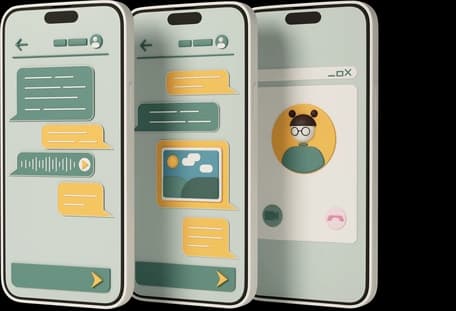
Every message lives in a threaded conversation linked to contacts in People. Send to one person or many, and see all replies in one organized timeline.

Unified messaging

Threads that connect to relationships

Conversations in Channels organize messages by thread, not by channel. Whether you send SMS, email, or both, replies appear together. Each conversation links to contacts in People, showing full relationship context alongside message history. Communication flows naturally and relationships deepen with Delalify Channels.

Capabilities

Unified message management

Threaded view illustration

Messages end up in email inboxes, SMS apps, and chat tools. Finding the complete exchange with one person means searching multiple systems and piecing together fragments. By the time you reconstruct the conversation history, you have lost time and context that would have informed a better response.

With Delalify Channels, messages and replies group into threads regardless of channel. Open a conversation to see the complete exchange without searching through separate inboxes. SMS replies appear alongside email responses. The full story appears in one place, and you respond with complete awareness of everything discussed.

Coordinating with multiple contacts means separate message threads, duplicated content, and tracking who said what across different conversations. You send the same update to five people and manage five separate reply chains. Context gets lost because no single view shows the complete relationship history.

Start conversations with groups or lists of contacts from People. Each recipient sees personalized content while you manage one thread. Replies from all participants appear together, making it easy to track who said what. Coordination happens from a single view.

People integration illustration

A message arrives, but who is this person? Switching to another system to look up their profile interrupts your flow and slows response time. By the time you find their record, you have lost momentum and the conversation feels separate from the relationship history.

Click any conversation to see the linked contact profile from People. Previous messages, notes, tags, group memberships, and file attachments appear alongside the current thread. You respond with full relationship awareness, referencing past interactions without leaving the conversation view.

Assign and collaborate illustration

Team members accidentally reply to the same conversation because no one knows who owns it. Internal discussion about how to respond mixes with customer-facing messages. Coordination breaks down, and customers receive conflicting information from different people on your team.

Assign conversations to specific team members, establishing clear ownership that appears in conversation headers. Leave internal notes that contacts never see but teammates can reference before responding. Mention colleagues to pull them into discussions. Clear ownership prevents duplicate work and ensures consistent communication.

Months later, you need to find that one conversation about a specific topic. Scrolling through hundreds of threads hoping to spot it wastes valuable time. The information exists somewhere, but finding it takes longer than recreating it.

Find conversations by contact, date, content, channel, assigned owner, or status. Combine filters for precise searches like "all SMS conversations with VIP customers assigned to me in the past 30 days." Save filters as views for recurring searches. Past conversations surface exactly when you need them.

Resolved conversations clutter your inbox, making it hard to focus on active threads. Compliance requires you to produce conversation records on demand, but exporting from messaging tools produces incomplete records. Active work mixes with historical reference until both suffer.

Archive resolved conversations to keep the inbox focused on active work. Archived threads remain searchable and accessible from contact profiles in People. Export conversation histories for compliance audits, legal holds, or team handoffs. Current work stays focused while historical records remain complete.

Why it matters

Context in every conversation

See the full picture

Every message about a relationship lives together in one thread. When you reply, you have the complete history at your fingertips, so conversations feel continuous rather than distributed across inboxes.

Collaborate without confusion

Assignments show who owns each conversation, and internal notes let teammates share context that contacts never see. Duplicate replies and conflicting information become relics of disorganized communication.

Stay organized at scale

Threads, filters, and archives keep messaging manageable even with thousands of active conversations. Your inbox surfaces what needs attention while keeping resolved matters accessible for reference.

Connect messages to relationships

Click any conversation to see the linked contact profile from People, including previous interactions, notes, and files. You respond with full relationship awareness rather than treating each message as an isolated event.

Use cases

See conversations in action

Sales team following up on inbound leads

A lead submits a form on your pricing page, triggering an auto-welcome email through Channels Email. When they reply asking about enterprise features, the sales rep opens the conversation and sees the complete thread alongside the contact profile from People, including company size, role, and which pages they visited before submitting. The rep assigns the conversation to themselves, adds an internal note about pricing strategy, and responds with a tailored proposal.

Result

Response time drops to under 5 minutes because reps have full context without digging through CRM records. Close rates improve 23% because personalized responses replace generic follow-ups.

Sales team following up on inbound leads

Support team managing multi-channel inquiries

A customer emails about a billing discrepancy on Monday, then sends an SMS on Wednesday when they have not received a response. Both messages appear in one conversation thread, and the support agent sees the customer's complete history: previous tickets, subscription tier, payment records, and notes from past interactions. The agent assigns the conversation, leaves an internal note explaining the issue, and responds via email with the detailed explanation while sending a brief SMS confirmation that their issue is resolved.

Result

Resolution time improves 34% because agents see complete communication history across channels. Duplicate tickets drop to near zero because every message lands in the same thread.

Support team managing multi-channel inquiries

Account manager coordinating with stakeholders

The account manager starts a group conversation with four contacts at the same company: the IT director, procurement lead, department head, and executive sponsor. Each stakeholder receives personalized messages about their specific concerns while replies from everyone thread together. The manager uses internal notes to track which stakeholder holds budget authority and which raises technical concerns. Before the quarterly review, the manager filters conversations by this account to prepare a complete briefing.

Result

Meeting prep takes 5 minutes instead of 30 because all stakeholder correspondence appears in one view. Account retention improves because every team member arrives informed about the full relationship context.

Account manager coordinating with stakeholders

Recruitment agency communicating with candidates

Recruiters message candidates through the hiring pipeline: initial outreach, interview scheduling, feedback collection, offer negotiation, and onboarding instructions. Each conversation lives in a thread attached to the candidate profile in People, showing resume attachments, interview notes, and salary expectations. When a candidate reaches the offer stage, the recruiter assigns the conversation to the hiring manager with an internal note summarizing negotiation parameters and candidate priorities.

Result

Hiring managers see complete candidate communication history before making decisions, eliminating back-and-forth clarification. Time-to-offer drops 40% because handoffs between recruiters and hiring managers include complete context.

Insurance broker handling policy questions

A policyholder asks about coverage limits via email on Tuesday, then calls on Thursday for clarification. The broker logs the call summary in the same conversation thread, capturing the client's specific concerns about storm damage coverage. When the client's spouse follows up by text the next week, that message threads into the same conversation. The broker attaches the updated policy document from OneCloud directly to the thread for easy reference.

Result

Compliance audits take hours instead of days because all client communications are documented in one place. Client satisfaction scores increase 28% because every agent who touches the account has complete context.

Keep every message in context

Conversations organize your communication by relationship, not by channel. See full histories linked to People contacts in one threaded view.