
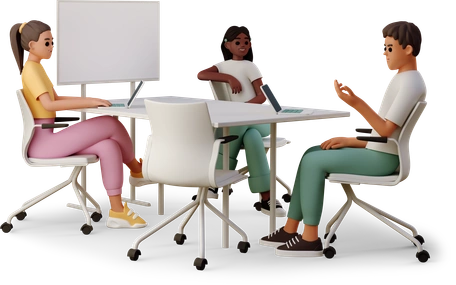

Real-time sync across every device and product

Several colleagues can edit the same table at once, with a live cursor for each person, while Tables merges their text and records every value that a later edit replaces.

Edit together without losing each other's work

Tables Sync sends each edit within milliseconds to every colleague who has the table open, on any device and in any view. Several people can therefore work in the same table, row, and field at once. When two of them type into one text field at the same moment, Tables merges both insertions; when they both change one number, Tables keeps the later value and logs the earlier one in the change history. For every edit, Tables records the user, the time, and the previous value, so a team spread across time zones can see what changes overnight.

Edit the same table at the same time and keep every change

The steps below follow colleagues through one shared table as they open it, edit the same row, and check the revision history afterward.

What Tables Sync does when colleagues edit at once

Conflict-free concurrent editing illustration

In a shared spreadsheet, two people can type into the same cell at once, in which case the second save can replace the first without a warning to either of them. Some tools avoid that by locking a cell while one person edits it, but a slow connection can then lose the change while the other person waits for the lock.

Tables Sync merges simultaneous edits field by field. In a text field, Tables keeps the insertions from both people. For a number field, Tables keeps the most recent value, records the earlier one in the change history, and marks the field so that both editors can see which value it keeps.

If a shared spreadsheet gives no sign of who else has it open, two colleagues can update the same row at the same time, so one of them can overwrite the other's change or redo the same work.

Each collaborator's live cursor marks the cell that they are working in, while presence indicators list everyone who has the table open, along with each person's current view and their last activity. When you can see a teammate editing row 47, you can move on to row 48 and leave that row to them.

Change history with full audit trail illustration

When someone changes the Q3 revenue figure in a shared sheet, you may have no record of who made the change, when they made it, or what the figure was before. Where a spreadsheet tool keeps a change log, it may show that a cell changed without the earlier edits that lead to the current value.

Tables logs each edit with the name of the user, the time, the previous value, and the new value. You can open the history of any row or field to follow each change in order, restore an earlier value with one click, and filter the log by user, date range, or field. Your compliance team can also export the whole history for an audit.

In a tool that updates on refresh, a change that someone makes in the grid will show on the kanban board only after you reload the page. An edit on a phone can then take minutes to appear on a colleague's desktop.

Tables Sync sends each change to every open copy of the table, in every view and on every device. An edit in the grid appears on the kanban board, the calendar, the gallery, and the timeline within milliseconds, while a record that someone adds on a phone appears on a colleague's desktop without a reload. If a connection drops, Tables reconnects the device and brings its copy of the table up to date with the changes that colleagues make while it is offline.

Field workers and traveling staff may have to keep working in places where the connection drops. If your tool works only while online, those colleagues will have to keep a separate offline spreadsheet and merge it by hand once they reconnect.

When you edit a table offline, Tables Sync stores your changes on the device. Once the connection comes back, Tables Sync sends those changes and merges them with the edits that colleagues make while you are offline. It applies the same rules as it does to simultaneous edits online, so it keeps every insertion in a text field and records any number that a later edit replaces in the change history.

Every value kept and every colleague in view

Every earlier value on record

Tables keeps both people's text when two of them edit the same field at once, while the change history holds any number that a later edit replaces.

See who is working where

Because live cursors and presence indicators show where each colleague is editing, two people can split up a table without repeating each other's work.

Trace every change to its source

The audit trail lists the person, the time, and the previous value for every change. Your compliance team can export that history, while any team member can put an earlier value back from the history.

Work offline, sync later

Tables Sync stores your edits on the device while the connection is down and merges them once it returns, so field teams can keep editing between connections.

Sync in practice

A newsroom plans its story budget across bureaus

A 25-person newsroom across four time zones works in one story database. The managing editor in New York follows the changes on the kanban board as the cards move, while reporters in Lagos update the status of their stories and reporters in London add new pitches. Live cursors mark the reporters who are editing, while the presence indicators list everyone on the desk who has the table open.

Result

The managing editor opens the morning editorial meeting on a story budget that includes every change up to that point, so they stop asking reporters to update a shared document before the call. Since Tables Sync sends each reporter's edit to the desk as they make it, the budget keeps changing during the meeting too.

A newsroom plans its story budget across bureaus

Warehouse counters keep counting where the wifi ends

A warehouse team counts its inventory each quarter across three buildings, one of which has no reliable wifi. Counters in all three buildings update the same inventory table from tablets. In the building without wifi, the counters edit offline while Tables Sync stores their changes on each tablet. When they step outside into wifi range, Tables Sync merges their 500 row updates with the changes that the other two teams make during the same hour.

Result

Each counter enters counts straight into the shared table, with or without wifi, so the operations lead stops collecting paper forms for a second round of data entry. Tables Sync merges every count into the same table, where the change history records who enters each one.

Warehouse counters keep counting where the wifi ends

Every budget edit reaches the audit trail

A finance team tracks departmental budgets in Tables. When the marketing director changes the Q3 ad spend from $80,000 to $120,000, the change history records the director's name, the time of the edit, and the previous figure. Before the board meeting, the CFO filters the audit trail to the budget table and the last 7 days to review every change from every department.

Result

The audit trail records the author and time of every budget change, so department heads stop emailing the CFO about each one. The CFO reviews the changes from six department heads in one filtered view.

Every budget edit reaches the audit trail

Four hospitals enter one clinical study together

In a clinical study across four hospitals, researchers at each site enter patient data into the same Tables database. Live cursors show each researcher who else is editing and which records those colleagues are working on. Through row-level permissions from Teams, Tables lets each site edit its own patients' records, while the study coordinator can open every record and follow enrollment across the sites as it happens.

Result

The study coordinator follows enrollment in the shared table, so they stop asking each site for a weekly spreadsheet. Because Tables checks each value against its field type at entry, a researcher can correct an error on the spot, while the change history keeps the record of each edit that a regulator can ask to see.

Four hospitals enter one clinical study together

Edit one table with your whole team at the same time

Tables Sync sends each edit to every view and device within milliseconds and keeps a record of every value that an edit replaces.